Quinton
Larson


vibing for [confidential]
•
launching EOY‘25


Right now I’m navigating the jungle of AI tools and workflows trying to figure out what is valuable and what is a time suck. Currently I’m rebuilding LLM products to learn the ins and outs of Figma+Cursor.
So far what I found that works best is to still live and breathe Figma design. In order for an AI to understand the design it really needs a link to a design with all of the style properties called out visually and in code. I have yet to “generate” something truly creative, unique, or even just accurate by feeding AI tools prompts / reference imagery alone. When I’ve done this, almost all of the Ai outputs have an “error” of ai-ism. There all kinda structured the same (block and stack, 4 across), use the same styling, and overall just kind feel the same. For my workflow I create in Figma, refine rapidly, prototype rapidly (have yet to find a valuable and consitent use for Figma Make) the thing and Sigma refine it and sigma rapidly prototype in Sigma because Figma is pretty damn good getting you pretty high fidelity prototyping. Have you had to find a use for Figma Make that really makes sense.If I wanna copy something online, I use the HTML.to.design and rip the entire design from the site. I’ve started to exp[ert with copying the code directly from the site using the web inspector tool.
Current* ai vibe stack
html.to.design

Figma Design

Cursor
Web Inspector

GitHub
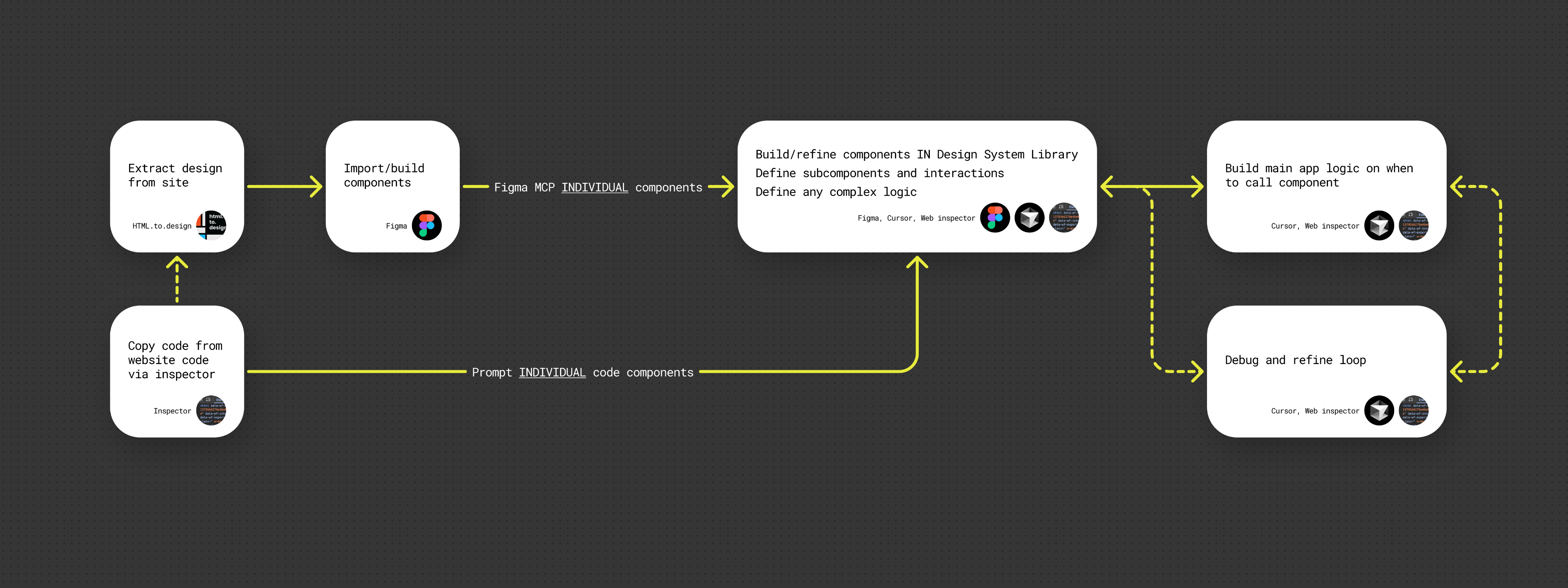
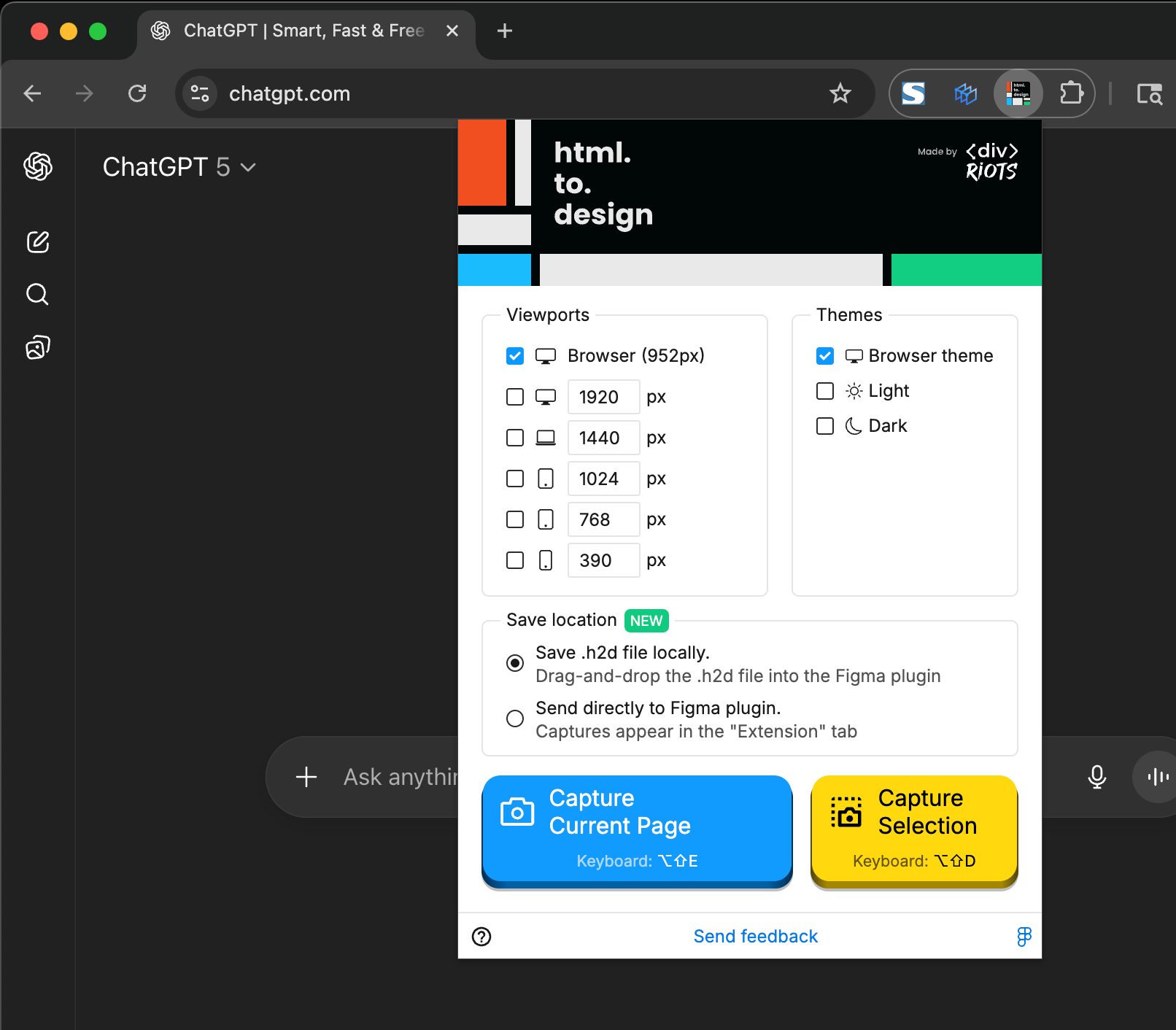
Next I uploaded the html.to.figma to Figma (using the plugin) and rebuilt the entire product design system, components, and all. The plug-in does a great job at simplifying this process but it’s still a lift... pro tip: get FAST at Figma.
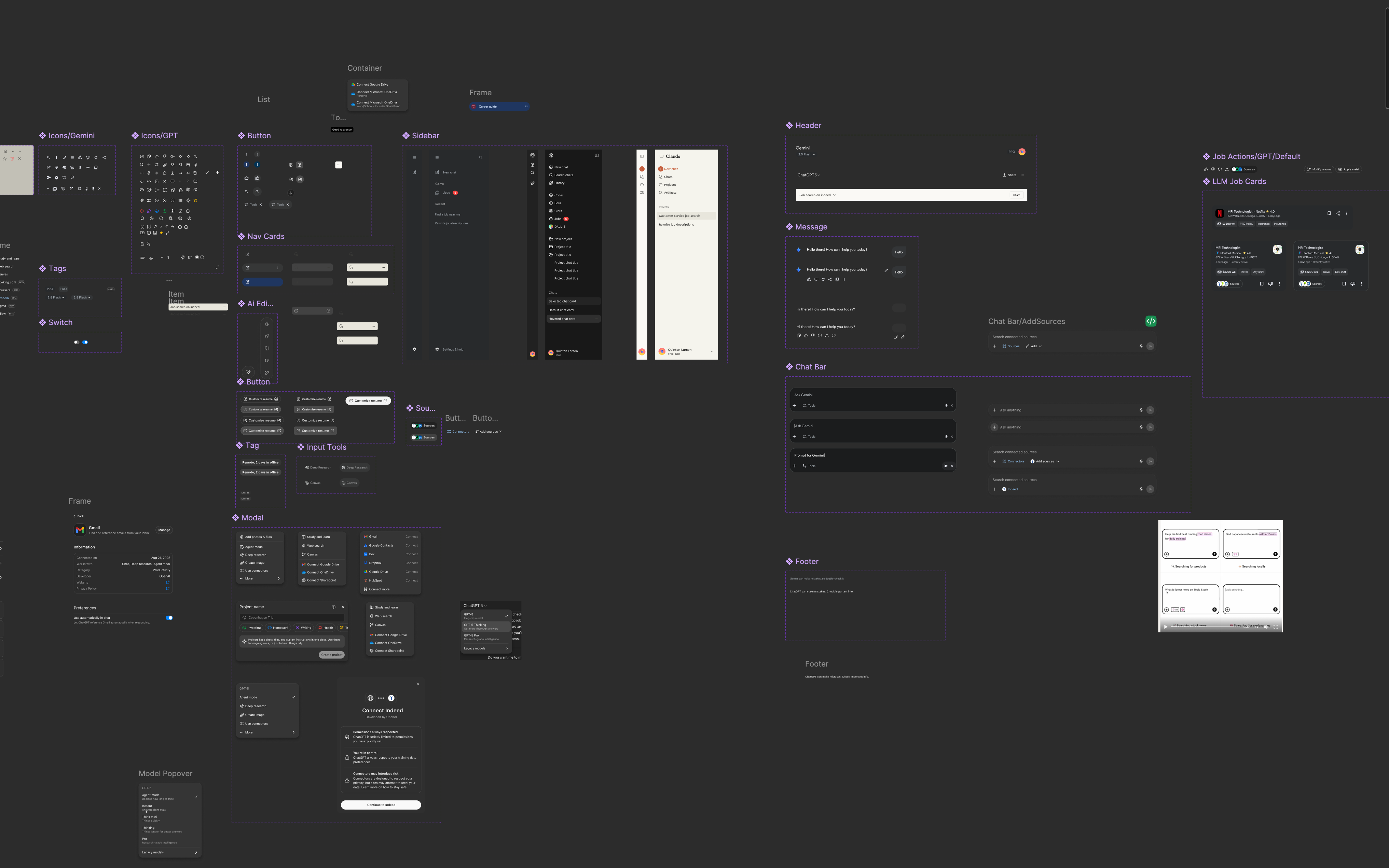
Once I have what I need (full screen, single compoonent) all of that THEN I move into AI prototyping. To start I explained to Cursor the prototype a hIGH LEVEL, what I wanted it to do, how I wanted it ot switch front and back ends. Later on I found out that creating a diagram on high level illustrations (like a wireframe) accompanied by the explanation helped to reduce future corrections.
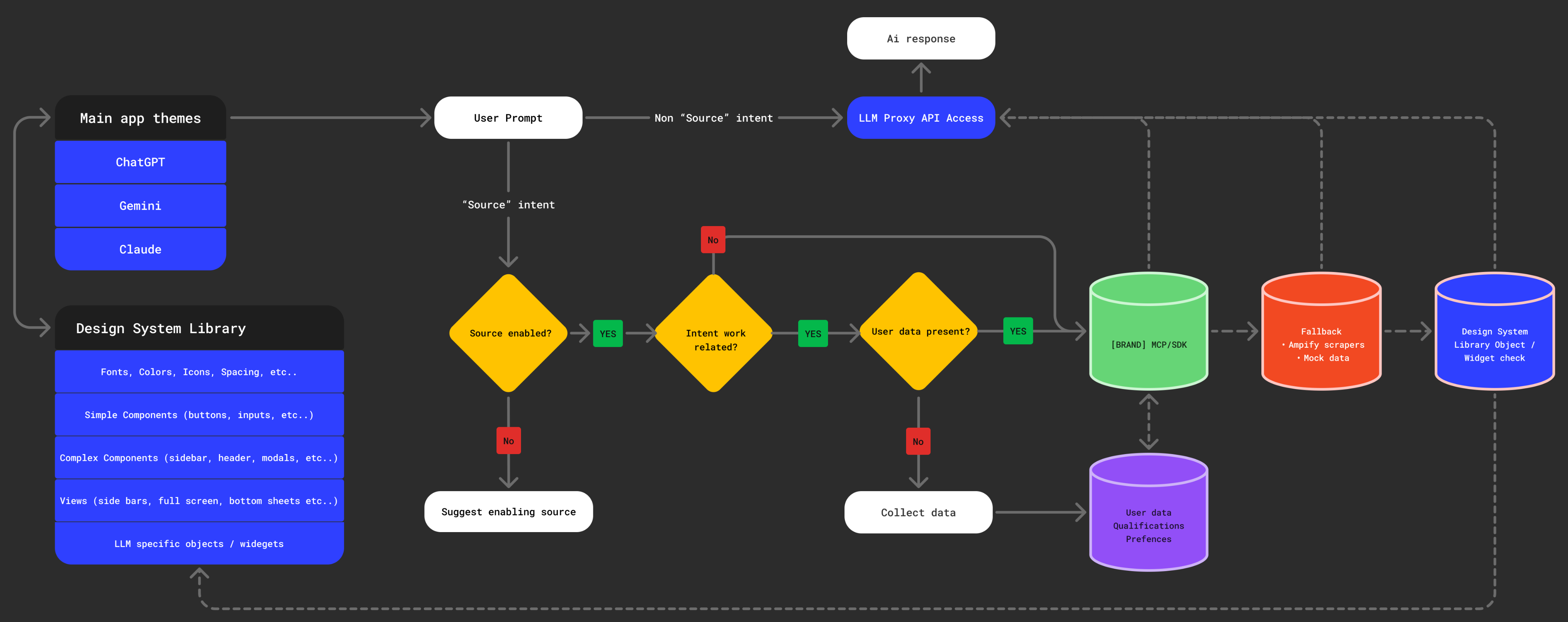
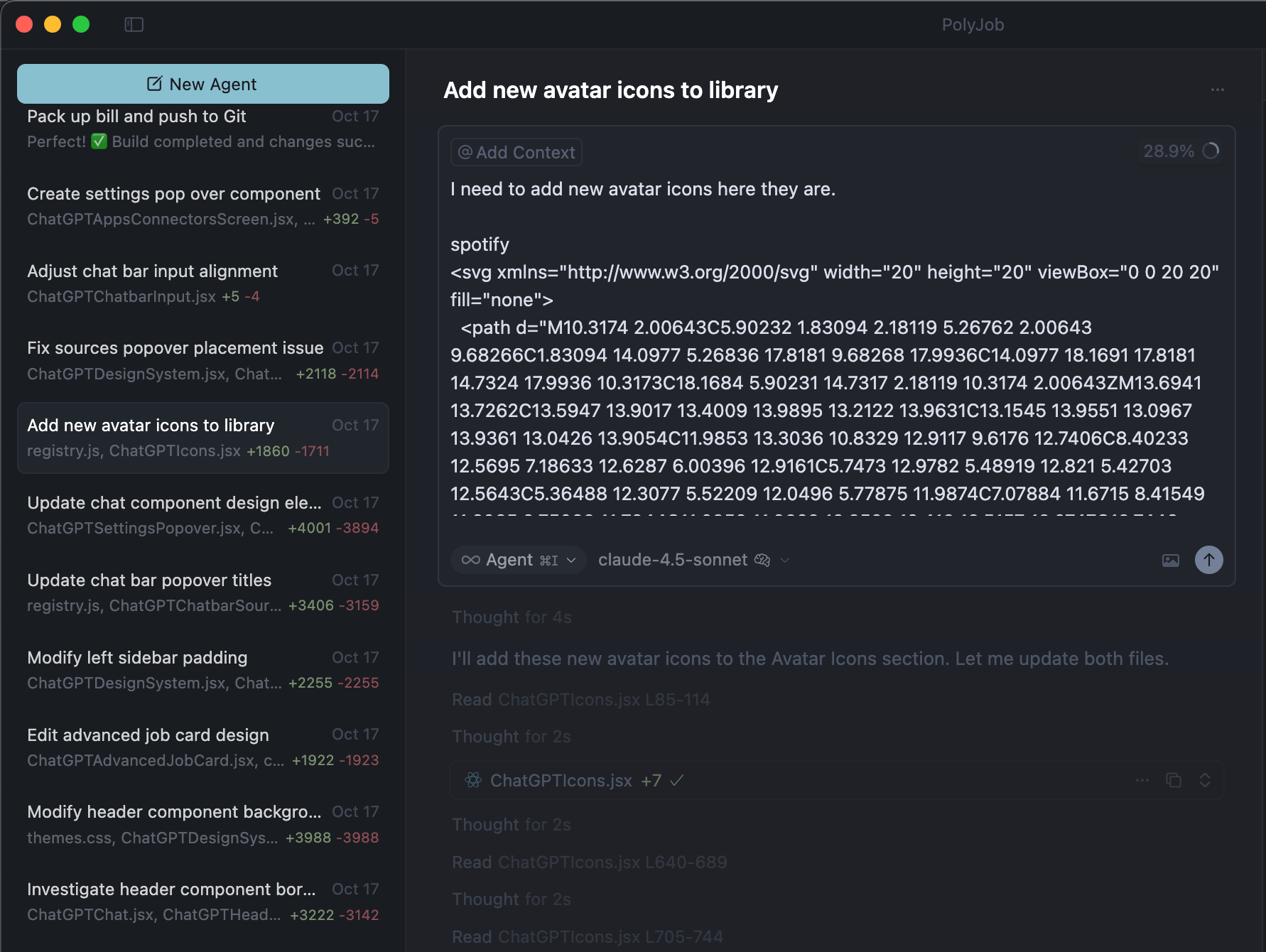
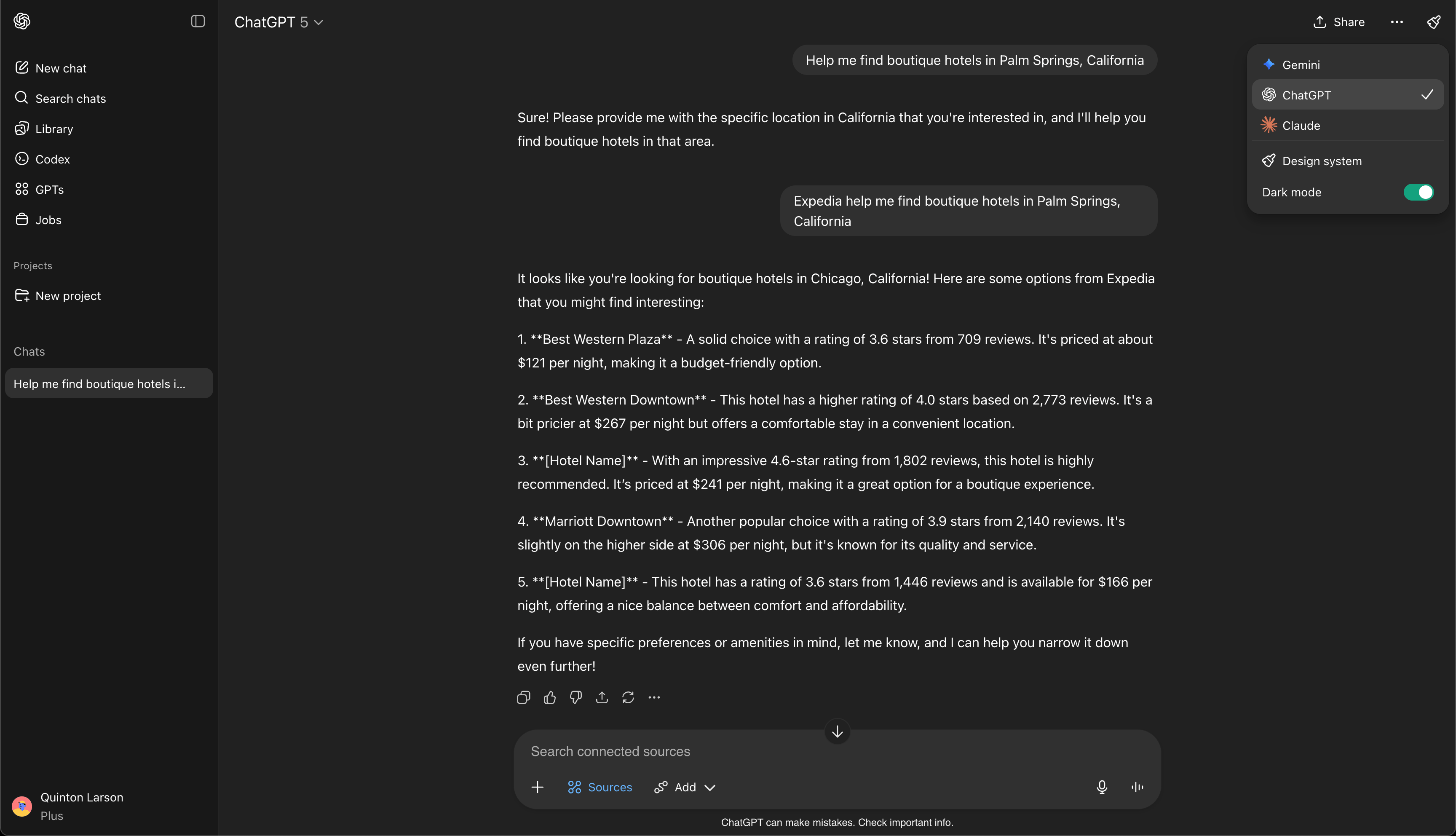
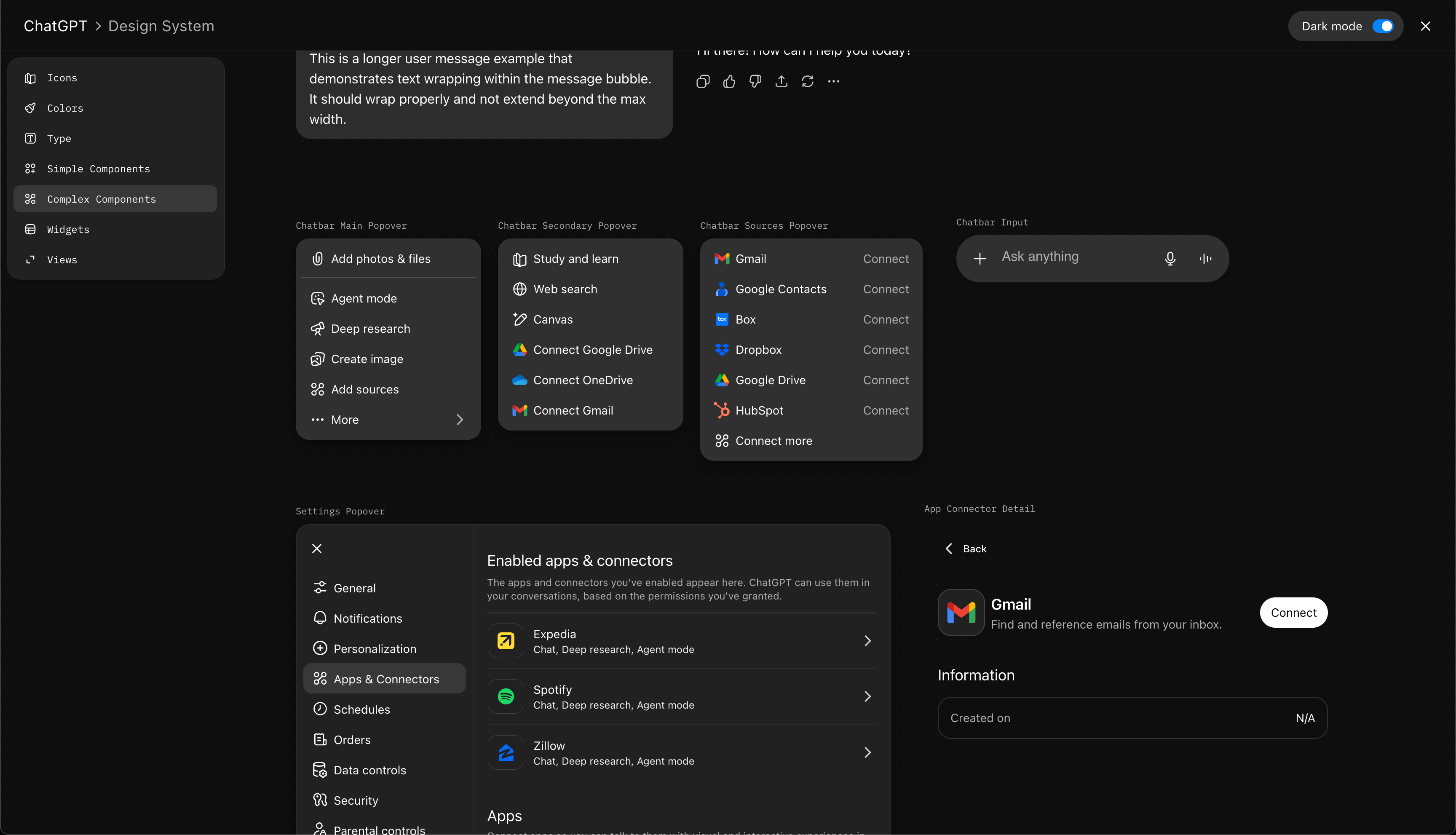
Early on but through lots of trial and error and fixing things to later learn they were improperly fixed, I found that seperating the front end from the main app was a massive time saver. So I asked Curosr to create a separate staging environment for the design system library separate from the main app. That way I can work on the components and the component tree separate from the more complex app or site that I'm building.
Quinton
Larson
vibing for...
‘25—now

vibing for [confidential]
•
launching EOY‘25
Right now I’m navigating the jungle of AI tools and workflows trying to figure out what is valuable and what is a time suck. Currently I’m rebuilding LLM products to learn the ins and outs of Figma+Cursor.
So far what I found that works best is to still live and breathe Figma design. In order for an AI to understand the design it really needs a link to a design with all of the style properties called out visually and in code. I have yet to “generate” something truly creative, unique, or even just accurate by feeding AI tools prompts / reference imagery alone. When I’ve done this, almost all of the Ai outputs have an “error” of ai-ism. There all kinda structured the same (block and stack, 4 across), use the same styling, and overall just kind feel the same. For my workflow I create in Figma, refine rapidly, prototype rapidly (have yet to find a valuable and consitent use for Figma Make) the thing and Sigma refine it and sigma rapidly prototype in Sigma because Figma is pretty damn good getting you pretty high fidelity prototyping. Have you had to find a use for Figma Make that really makes sense.If I wanna copy something online, I use the HTML.to.design and rip the entire design from the site. I’ve started to exp[ert with copying the code directly from the site using the web inspector tool.
Current* ai vibe stack
html.to.design
Figma Design
Cursor
Web Inspector
GitHub
Next I uploaded the html.to.figma to Figma (using the plugin) and rebuilt the entire product design system, components, and all. The plug-in does a great job at simplifying this process but it’s still a lift... pro tip: get FAST at Figma.
Once I have what I need (full screen, single compoonent) all of that THEN I move into AI prototyping. To start I explained to Cursor the prototype a hIGH LEVEL, what I wanted it to do, how I wanted it ot switch front and back ends. Later on I found out that creating a diagram on high level illustrations (like a wireframe) accompanied by the explanation helped to reduce future corrections.
Early on but through lots of trial and error and fixing things to later learn they were improperly fixed, I found that seperating the front end from the main app was a massive time saver. So I asked Curosr to create a separate staging environment for the design system library separate from the main app. That way I can work on the components and the component tree separate from the more complex app or site that I'm building.
Quinton
Larson
vibing for...
‘25—now
vibing for [confidential]
•
launching EOY‘25
Right now I’m navigating the jungle of AI tools and workflows trying to figure out what is valuable and what is a time suck. Currently I’m rebuilding LLM products to learn the ins and outs of Figma+Cursor.
I have yet to “generate” something truly creative, unique, or even just accurate by feeding AI tools prompts / reference imagery alone. When I’ve done this, almost all of the Ai outputs have an “error” of ai-ism. There all kinda structured the same (block and stack, 4 across), use the same styling, and overall just kind feel the same. I create in Figma, refine rapidly, prototype rapidly (have yet to find a valuable and consistent use for Figma Make) then build long lasting protos in Curosr... but that’s information for another time.So far what I found that works best is to still live and breathe Figma design. In order for an AI to understand the design it really needs a link to a design with all of the style properties called out visually and in code. For this project my stack and flow are below. I started with html.to.design to rip the front-end of all the LLMs. [Since I have my design system libraries setup in the prototype I’ve recently been experimenting with coping the code directly from the site via web inspector and dropping that code directly into a prompt... mixed results.]
Current* ai vibe stack
html.to.design
Figma Design
Cursor
Web Inspector
GitHub
Next I uploaded the html.to.figma to Figma (using the plugin) and rebuilt the entire product design system, components, and all. The plug-in does a great job at simplifying this process but it’s still a lift... pro tip: get FAST at Figma.
Once I had all of that THEN I moved into AI prototyping. YES, I tried just feeding Cursor screenshots of LLM product and saying “remake {LLM name] here’s imgs and links..” it spit something out... but honestly it was more work to fix the stuff it created vs. starting from designs and building up.
At the start my Cursor flow, I began with a high level explanation to Cursor of the thing I wanted to make. Later on I found out that creating a diagram or high level illustration of the system I wanted dramatically helped to reduce errors, misinterpretations, and future iterations.
Early on but through lots of trial and error and fixing things to later learn they were improperly fixed, I found that separating the front end from the main app was a massive time saver. I started with asking Cursor to setup Storybook FrontEnd to build components and the design system... HUGE crash and burn.. I found that for some reason the main app and Cursor basically ignored Storybook and wasn’t pulling in the components from there... most likely my error in explaining the system I wanted at the start, but I could never correct this error not matter how many times I asked Cursor to do this... so I nuked Storybook which almost killed my entire prototype... that’s when I learned about GitHub and always committing before large changes. Anyways, back to the front end... ultimately I asked Cursor to create a separate staging environment for the design system library separate from the main app but NOT Storybook. That way I could work on the system and components separately from the main app and backend.